
Eight lanes, one thumb
Vektr is a tower defense game that looks like a falling-block puzzle. Here's why we built the board that way, and how we made it play well with one hand.
Redshift Interactive · October 23, 2026
A grid you already know how to read
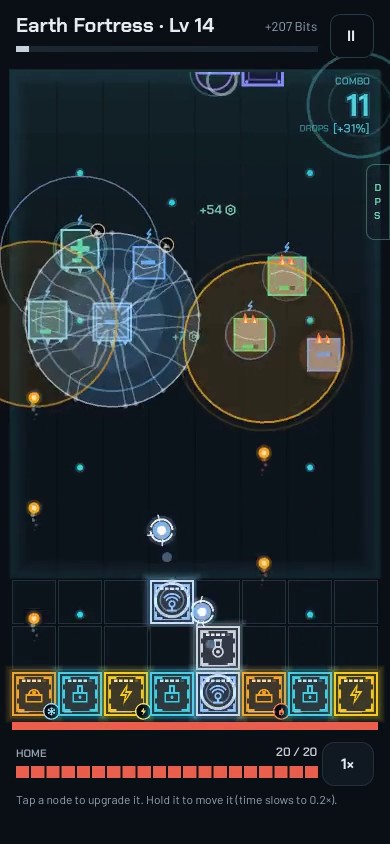
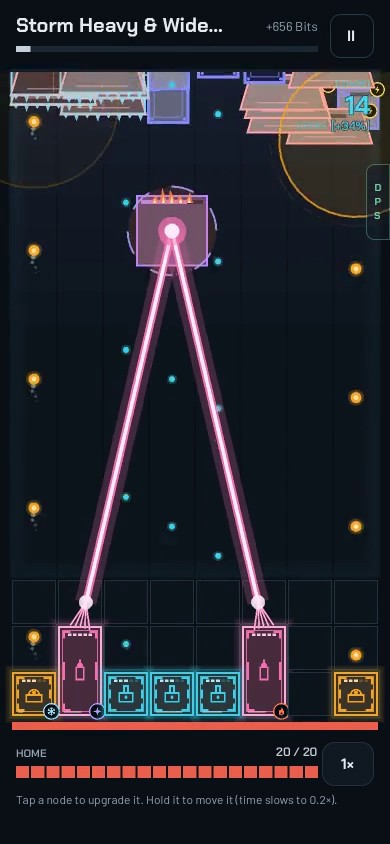
Vektr is played in portrait on a board of eight columns. Enemies slide down the lanes toward your home row, and your defense nodes, on three rows just above it, fire up the columns to stop them. Anyone who has played a falling-block puzzle can read that at a glance: what's in a column is what that column has to deal with.
It also makes placement a real decision. A node covers its own column, so where you put things matters as much as what you build. You start with the bottom row of eight squares and unlock the two rows above it as you go, for twenty-four in all.
Sized for a thumb
Eight columns wasn't an arbitrary number. On a typical phone it makes each square about 44 points wide, which is right at the size a fingertip can hit reliably. Every tappable control in the game is at least that big, and the important ones live in the bottom two-thirds of the screen, where your thumb already is.
Everything is drawn with vector shapes rather than image sprites, so the glow lines and numbers stay crisp at any screen resolution, and the layout scales to fit taller and wider phones without stretching.
One screen for building and fighting
There's no separate menu screen for your defense. In build mode, the lanes are dimmed with your endless run playing quietly behind them, and a tray at the bottom holds crafting, inventory and the store. When you start a wave, the tray slides away and the lanes stretch out for the fight. The board never moves, so you never lose track of where everything is.
Picking up a node slows time
You can rearrange your defense in the middle of a fight, for example to bring the right element over to a column that's in trouble. Precise dragging is hard when things are moving fast, so while you're holding a node, the game slows to a fifth of its normal speed.
- Press and hold for a moment to pick a node up, so a quick tap never moves anything by accident.
- The node lifts above your finger, and the squares it would land on light up green. Any node it would displace shows as a dashed outline where it's going to end up.
- If it won't fit, the outline turns red and the node snaps back when you let go.
- A quick tap instead opens the node's details, so you can level it up or add gems while the wave keeps running at full speed.
It turns a frantic moment into a calm one, which is most of what we want Vektr to feel like.